Overview
We've refreshed the user management experience with a new interface across accounts. The same actions and the same data you rely on today - now cleaner, better organized, and easier to navigate.
My Profile has been reorganized into tabs, the user listing and Create/Edit User flows have been redesigned, and the "Team" and "My Staff" labels are now unified under a single, consistent name:
Users.
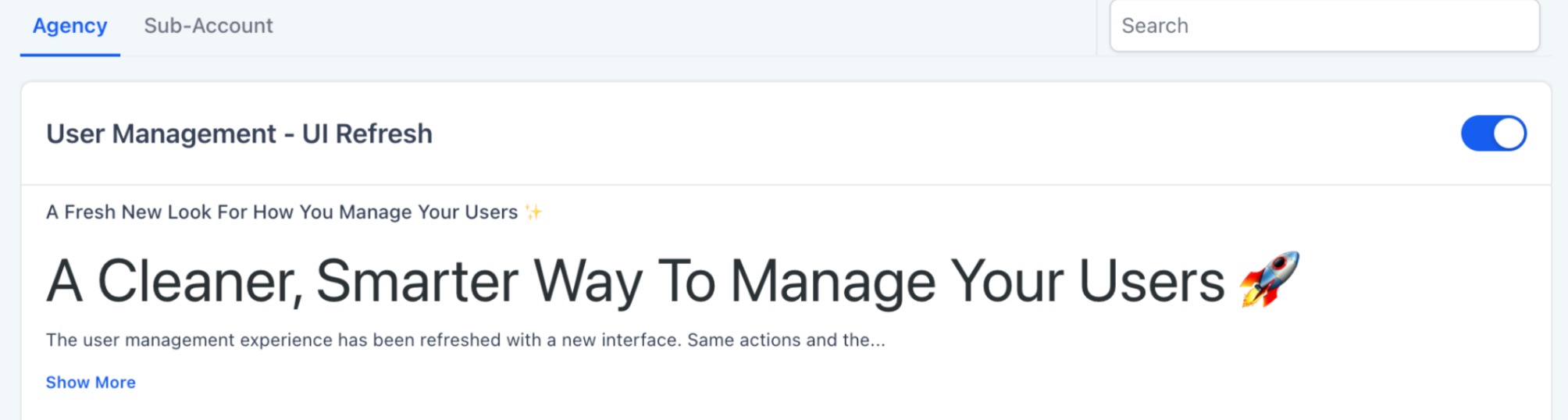
This update is now available and can be turned on from
Labs.
What's new?
My Profile, reorganized into tabs - Your profile settings are now split into clearly labeled tabs instead of one long page.
Account:
five tabs - General, Security, Calendars, Conversations, and Notifications - all with a refreshed UI.A streamlined Notifications tab (Account)
- The Notifications tab now gives you clear, channel-wise visibility into your notifications, replacing the earlier cluttered layout."Team" and "My Staff" are now "Users"
- We've standardized the naming across the platform. "Team" (Agency) and "My Staff" (Account) are now both called Users, for a consistent experience everywhere. Only the label changes - the screen works exactly as before.Refreshed Users listing
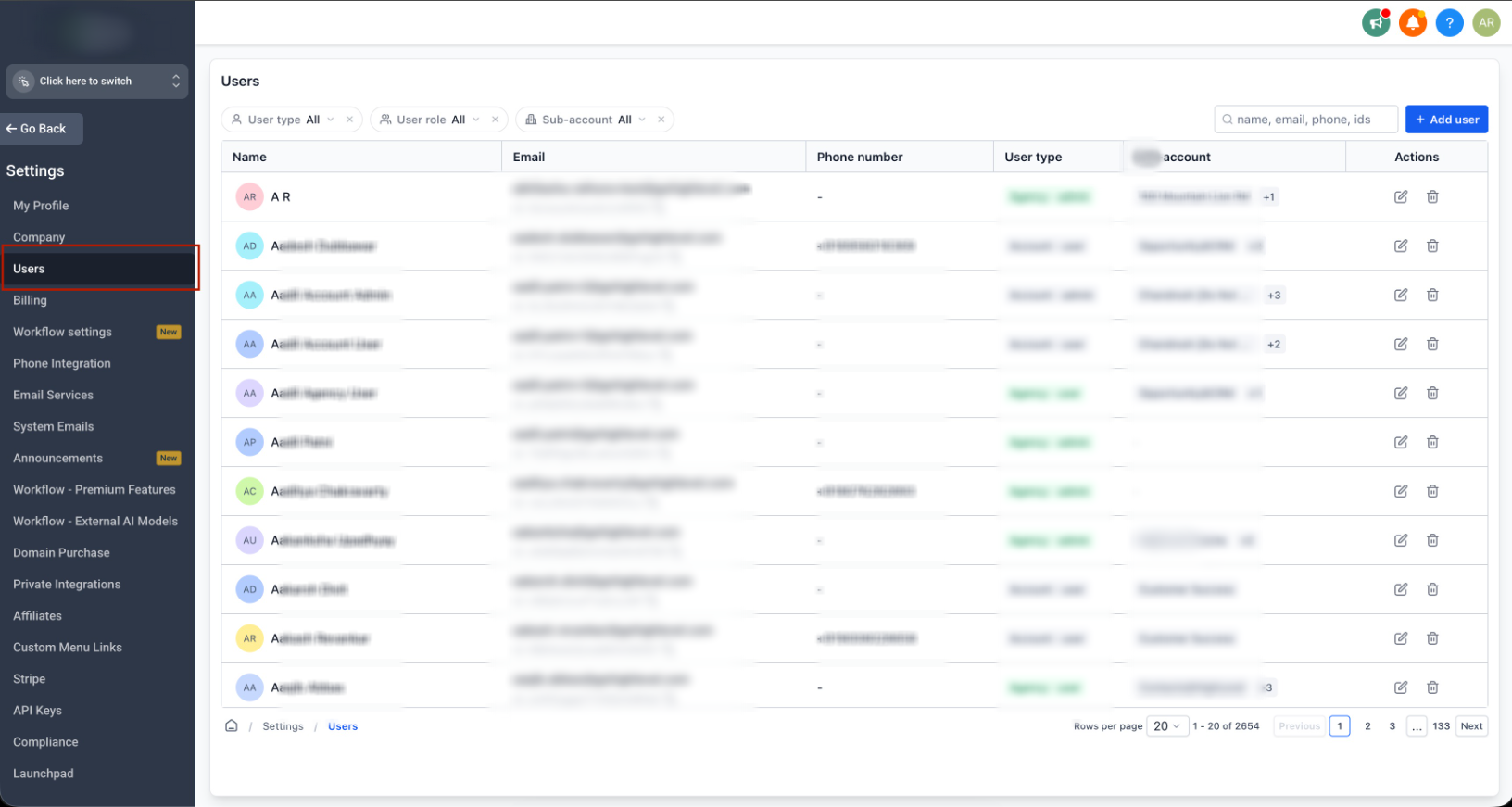
- An updated look and feel for the screen where you view and manage users.Redesigned Create and Edit User flows
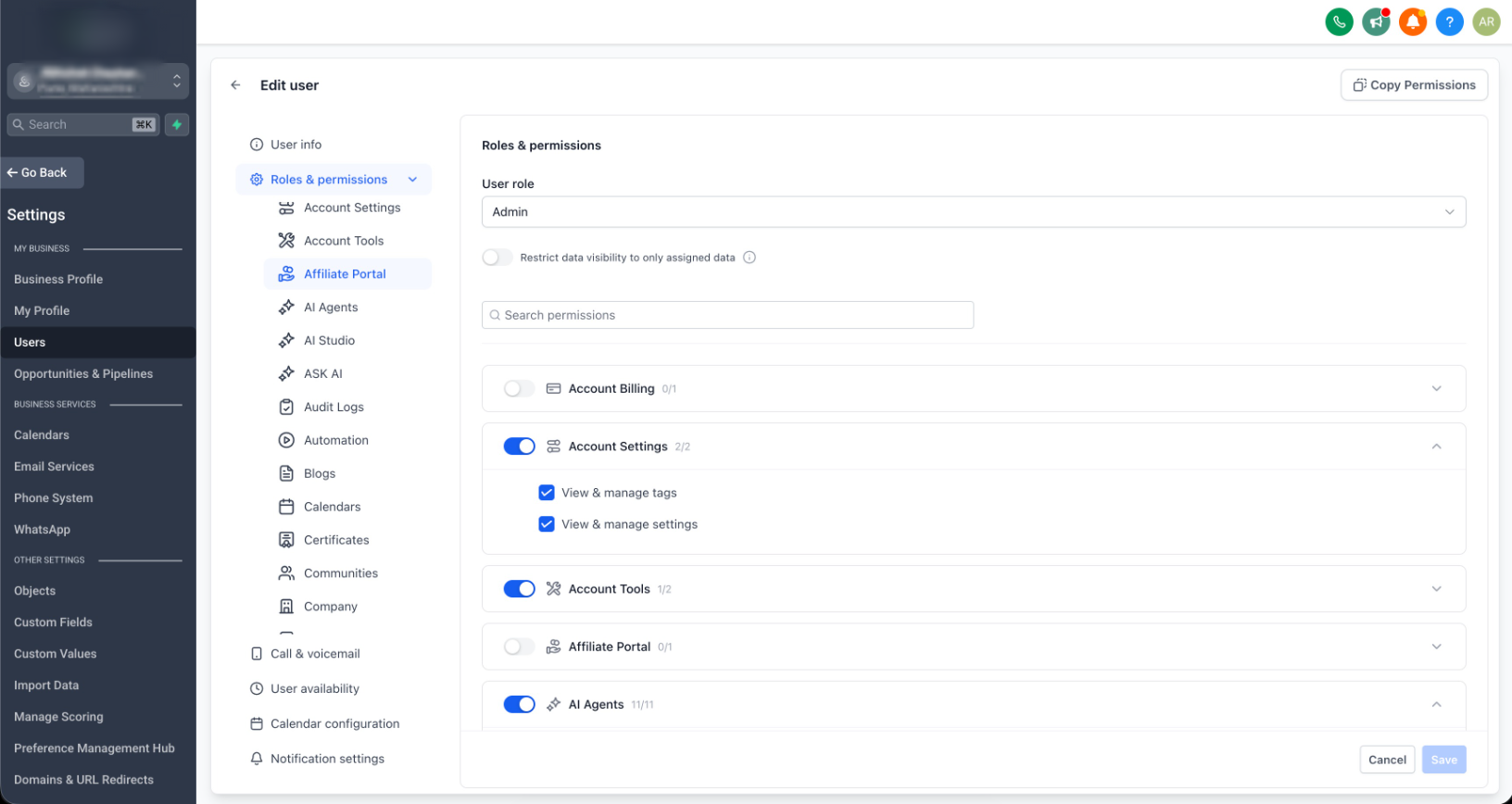
- The flows for adding and editing users have been refreshed, including how permissions are managed.Clearer Roles & Permissions
- The Roles and permissions tab in the Edit User flow has been reworked for clarity:Navigate permission modules from a left-hand panel instead of scrolling through the entire page.
Scopes within each module are shown in an accordion, collapsed by default, to keep the view clean.
Search for a module to jump straight to it - results open in an expandable format.
Refreshed account user settings tabs
- In the Account Edit User flow, the additional tabs also have a revamped UI: Call and voicemail settings, User availability, Calendar configuration, and Notification settings.My profile - Account view: General tab
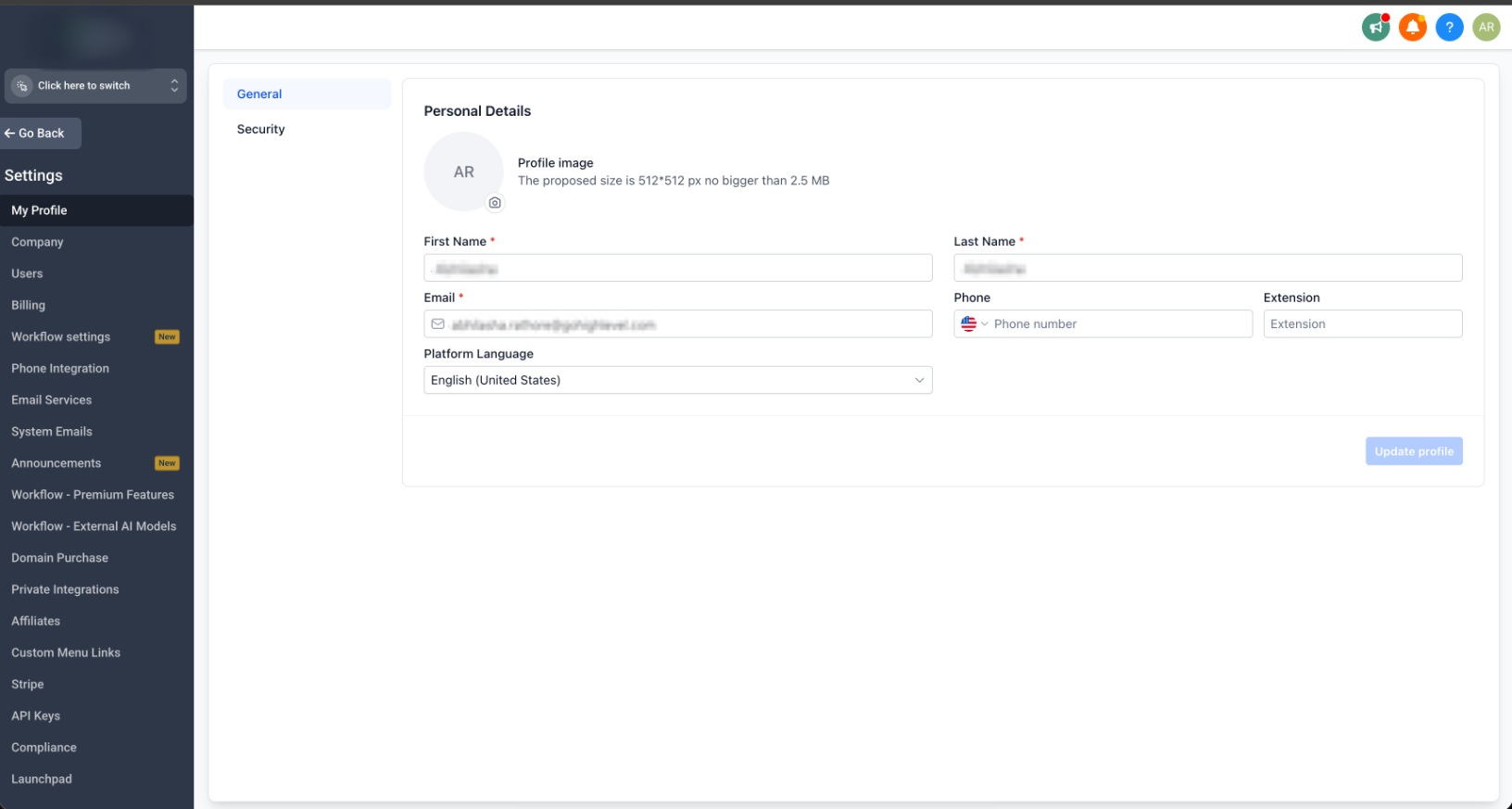
My profile - Account view: Security tab
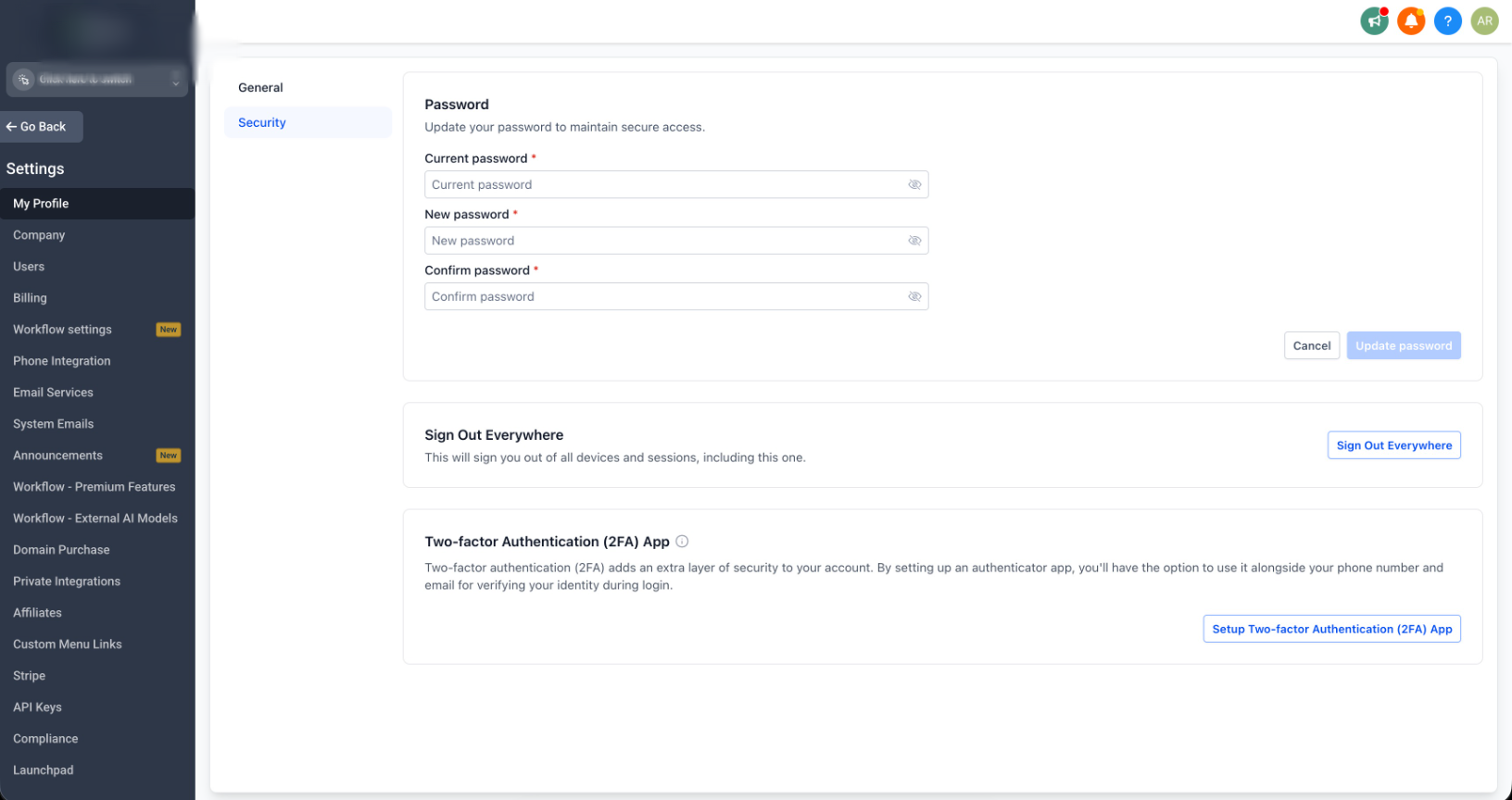
My profile - Account view: Personal details tab
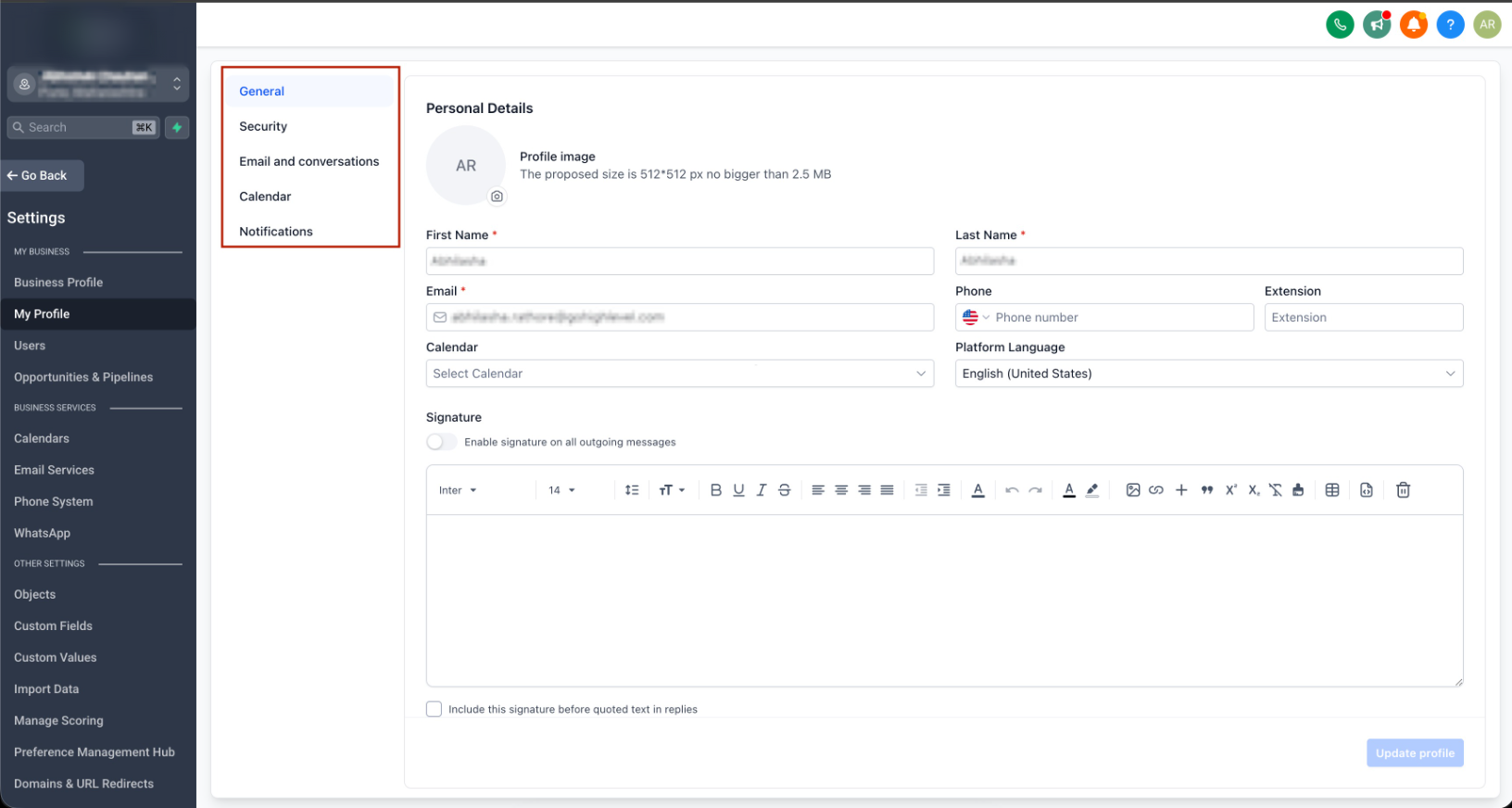
My profile - Account view: Notifications tab
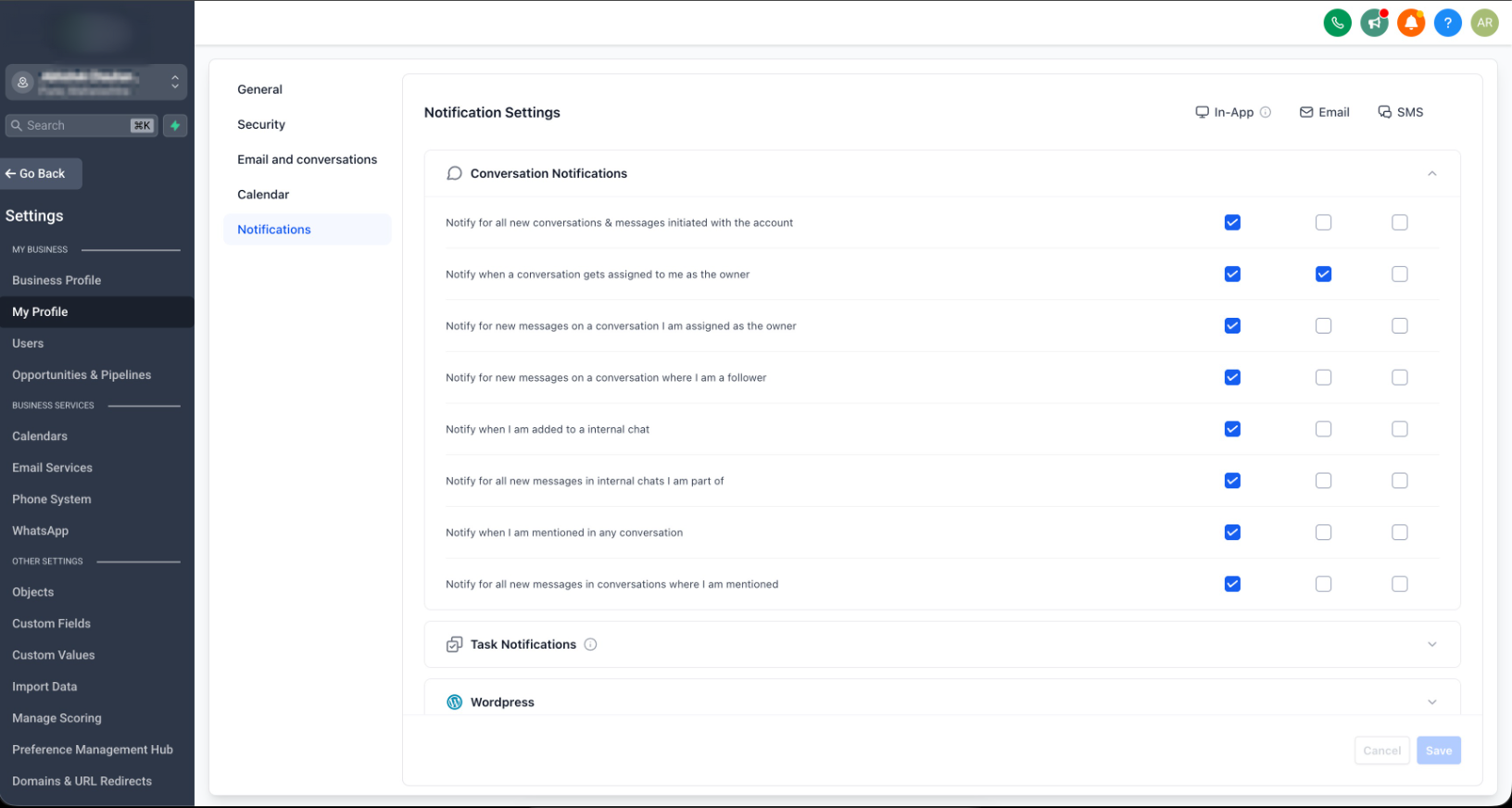
Users listing page
Edit user - Account view: Roles and permissions
Additional notes
- This is a UI and navigation refresh. The underlying capabilities and permissions stay the same.
- Your existing profile settings, user data, and permission configurations carry over unchanged.
- The rename to "Users" is a label change only - no impact on functionality.
- The tabbed My Profile layout gives us room to add more configurations in the future without cluttering the page.
How to enable
- Navigate: Go to Labs in your Account settings.
- Enable: Turn on ‘User Management - UI Refresh’
- Explore: Head to My Profile and Users to see the new experience.
Roll-out & availability
- Release date: Sep 07, 2026
- Status: Live via Labs
Was this article helpful?
That’s Great!
Thank you for your feedback
Sorry! We couldn't be helpful
Thank you for your feedback
Feedback sent
We appreciate your effort and will try to fix the article